For most job applications, the underlying task is the same: choose the relevant experience and explain it for a particular role. Document length and conventions vary by market. Academic CVs have different expectations, so follow the employer’s instructions rather than treating every application as a short commercial resume.
Tailor your resume to the job description.
Use the job description and your base profile to draft a focused summary, relevant skills, and selected projects. Spend your editing time on the evidence the employer needs to see.
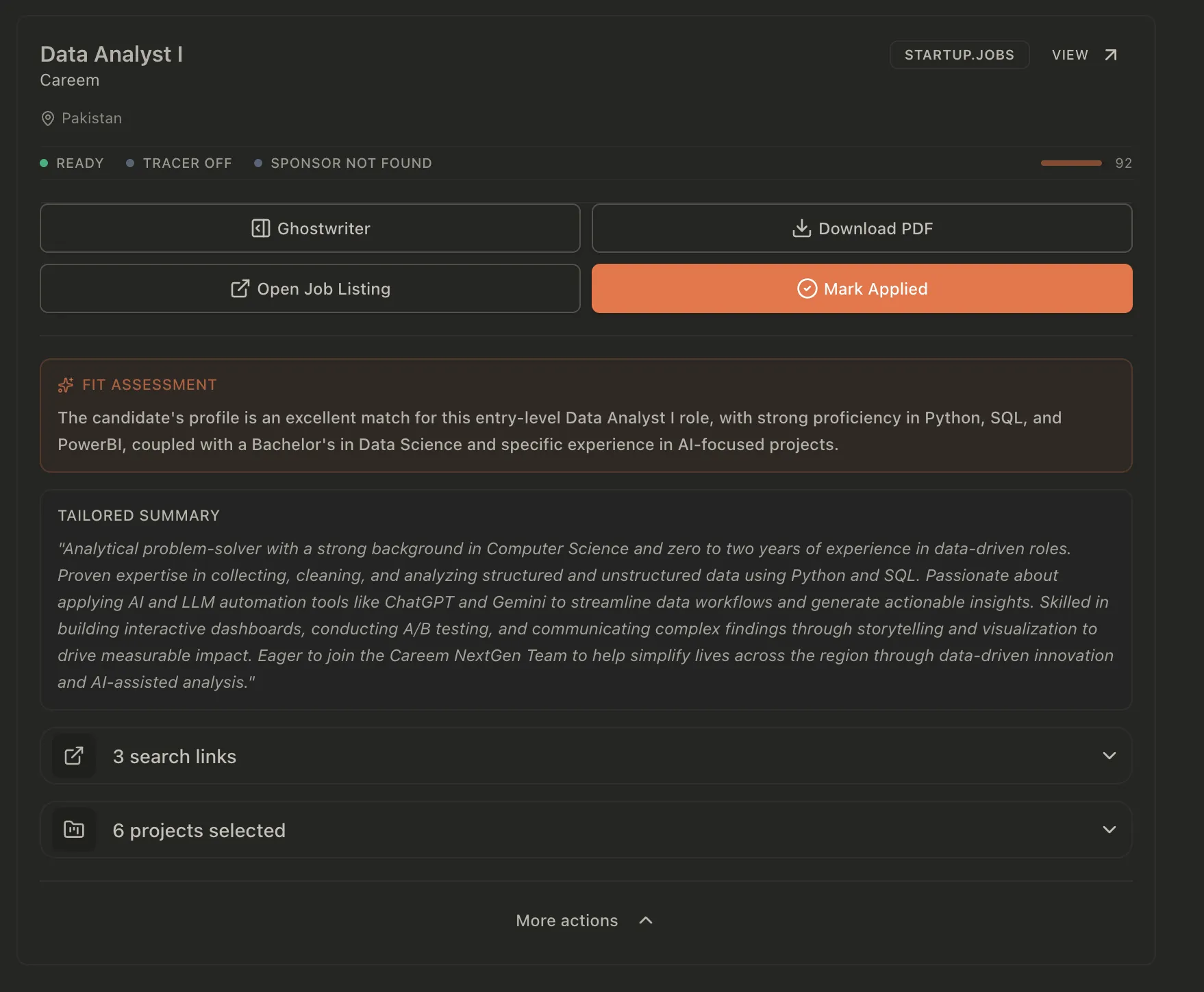
Keep the job description next to the draft.
A general resume has to represent your background across many possible jobs. An application has a narrower task: show why your experience is relevant to this opening.
In JobOps, tailoring starts from a saved role. The workspace includes the job description and sections for the summary, headline, skills, and selected projects. You can draft content, edit it, and generate a PDF for that job.
Before generating anything, make your base profile accurate and specific. Include the work you did, the tools you used, and the results you can substantiate. A vague source profile gives the draft little evidence to work with.
If you are still deciding whether the role makes sense, read the requirements first. Location, eligibility, and experience gaps are worth resolving before polishing a document.
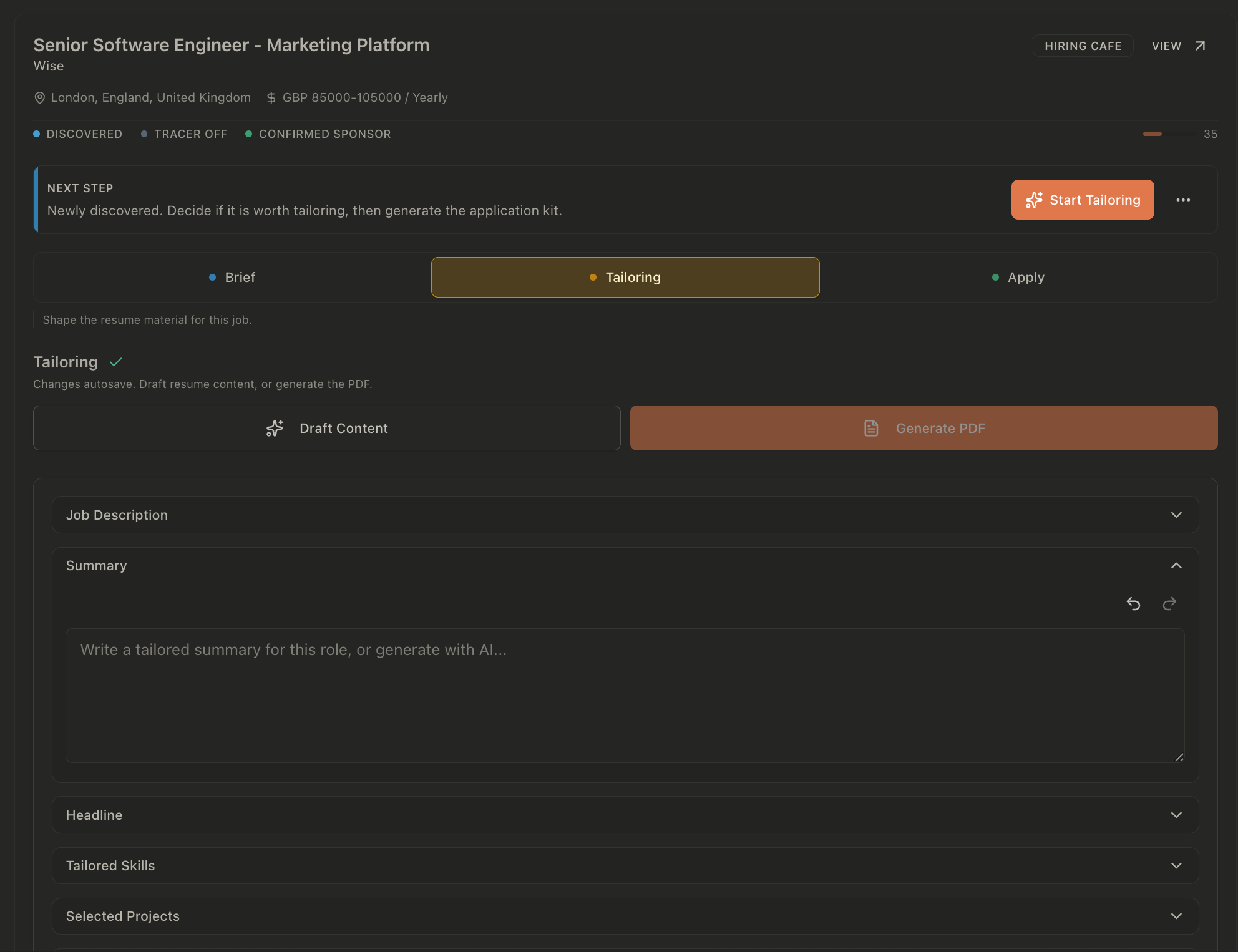
Same experience. A clearer reason to read it.
Imagine a role that asks for React, TypeScript, and accessible interface work. You have built a React booking flow, used TypeScript, and fixed keyboard navigation. Your original bullet only says that you worked on the company website.
The useful edit brings that existing evidence forward. It does not add a performance number, a team size, or an ownership claim you cannot support.
Before
“Worked on the company website and helped improve the user experience.”The reader has to guess what you built and which skills you used.
After
“Built the booking flow in React and TypeScript, including form validation and fixes for keyboard navigation.”Use this wording only if those details describe your work. This is an illustrative edit, not a customer result or a captured AI response.
The second version gives an interviewer something concrete to ask about. You should be able to explain the decisions, show the work where appropriate, and distinguish your contribution from the rest of the team’s.
Translate requirements into evidence.
Read the responsibilities and essential requirements before editing the summary. Pick the few points that determine whether someone can do the work. For each one, find evidence in your experience or identify the gap.
Use the employer’s terminology when it describes the same thing you did. Expand an unfamiliar internal project name into a description a reader outside your company can understand.
| The role asks for | Evidence to look for | A useful edit |
|---|---|---|
| React and TypeScript | A feature you built using both | Name the feature and what you implemented, rather than listing the tools alone. |
| Accessible interfaces | Keyboard, focus, semantic markup, or assistive technology work | Describe the issue you addressed and how you checked the fix. |
| Working with designers | A design review, handoff, or implementation decision you contributed to | Explain the collaboration and your part in the shipped result. |
| A skill you have not used | No direct evidence yet | Leave the claim out. Assess whether related experience is enough to make applying worthwhile. |
Change the emphasis. Preserve the facts.
A targeted summary should tell the reader what kind of work you do and which relevant experience you bring. Avoid filling that space with qualities anyone could claim, such as being motivated or results driven.
Put relevant skills where the reader can find them. Back the important ones with experience bullets or projects. Select projects that help explain your suitability rather than always leading with your newest project.
Keep these consistent across applications
- Employer names, employment dates, qualifications, and actual job titles.
- Your contribution to team work and the level of responsibility you held.
- Technologies you used and the depth of your experience with them.
- Results and measurements you can trace to the work.
If the job needs experience you do not have, rewriting cannot create it. Make the strongest accurate application you can, then decide whether the gap is acceptable.
Review the draft. Then review the PDF.
Read the generated content as if you were the person interviewing you. Every named tool, project, and result should be something you can discuss. Delete unsupported claims even when they sound convincing.
Check accuracy
Compare the draft with your base profile. Verify dates, technical details, outcomes, and whether the wording overstates your ownership.
Check relevance
Can a reader find evidence for the core requirements quickly? Cut repeated sentences and skills that distract from the work this employer needs.
Check the final file
Open the PDF. Check page breaks, links, contact details, and text readability. Use the format the employer requests and confirm you are uploading the right version.
After you submit, keep the role and its documents in your job application tracker. Before an interview, return to the version you sent so you can prepare for the experience you chose to highlight.
FAQ
A few details before you start
Yes. Keep your base profile as an accurate account of your experience, then adapt the emphasis for each opening. A frontend role and a full-stack role may call for different projects or a different summary, while employment dates and the work you actually did stay consistent.
No. Applicant tracking systems and employer screening rules vary. Use relevant terminology where it accurately describes your experience, follow the requested file format, and check that the document is readable. Keyword matching cannot make up for a missing requirement or guarantee a recruiter review.
Do not add it as a skill you have. Describe relevant transferable experience if you can support it, and decide whether the missing requirement makes the role unsuitable. If you are learning the skill, say so accurately rather than presenting learning as professional experience.
Yes. Check every claim, date, technology, result, and project against your source experience. Remove unsupported claims, correct awkward wording, and inspect the PDF before submitting. You are responsible for the final application.
Make your relevant experience easier to find.
Start from the opening, draft with your actual experience, and review the result before it becomes your application.
See resume tailoring plansPrefer to run it yourself? Self-host the open-source version.